No signal in the high mountains. No coverage in deep gorges or dense forests. Every hiker and mountaineer knows this reality. Relying on an internet connection to navigate in the wild is an unnecessary risk.
That's why we developed the offline map download feature in Whympr Premium. It lets you prepare your outing from home, save exactly the area you need, and access it without a connection whether you're in a mountain hut with no wifi, deep in a massif, or on a multi-day trip.
How to download an offline map on Whympr
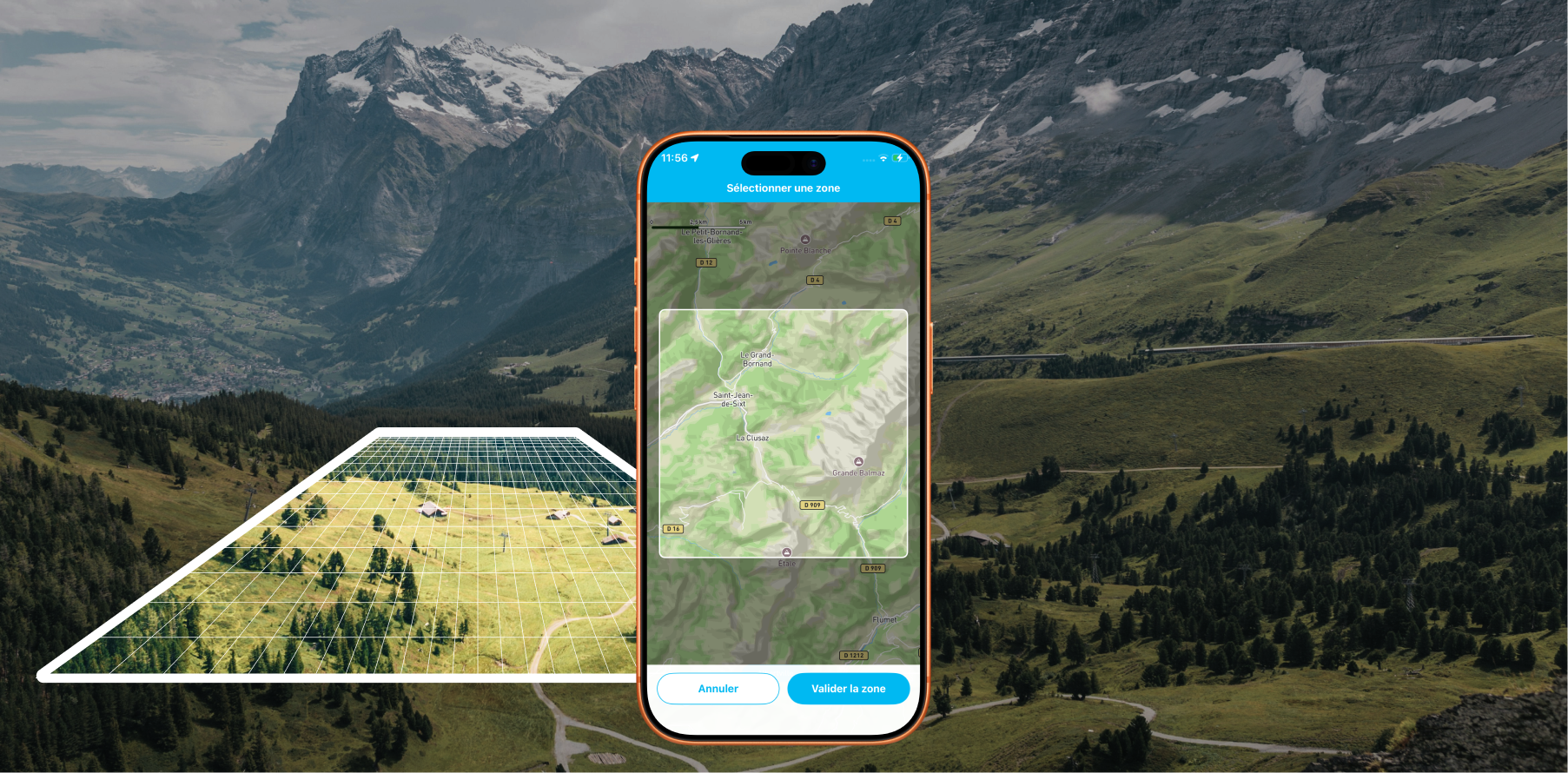
1. Select the area to save
In the app, tap the "Add" tab at the centre of the bottom navigation bar, then tap "Save an offline area".
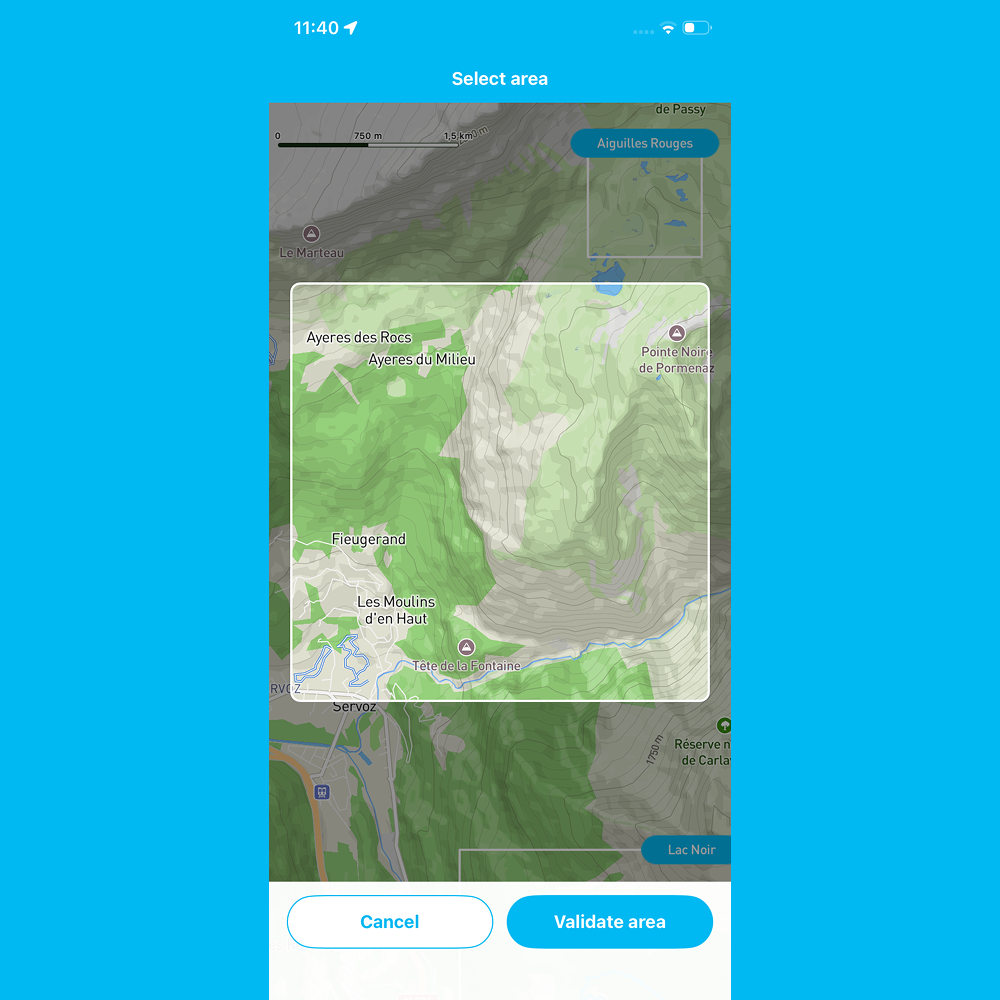
You'll enter the download menu. Pan and zoom the map to frame the area you're interested in. The section that will be saved is delimited by the white square on screen. Previously downloaded areas appear around it to help you avoid duplicates.
Once you've selected the right area, tap Confirm in the bottom right.
2. Choose base maps and layers
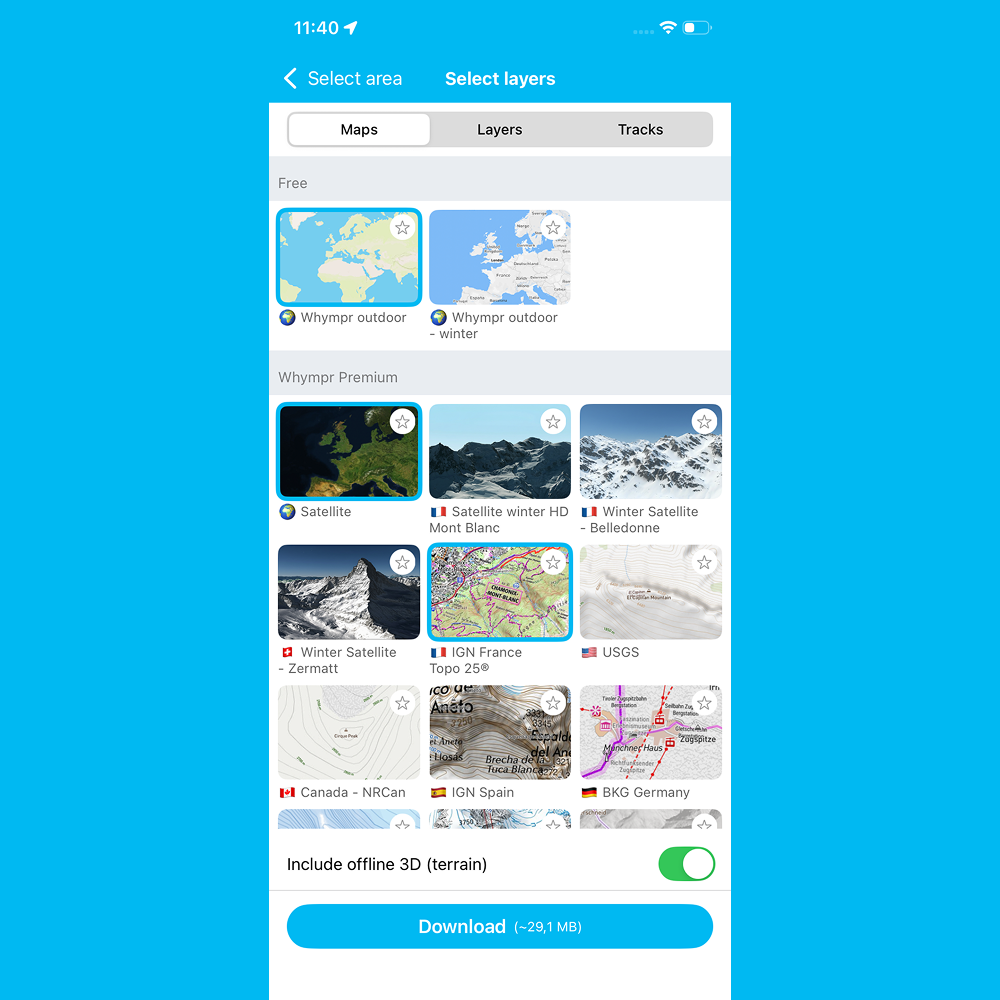
This is where personalisation begins. You can select from the full Whympr catalogue: topographicmap, satellite imagery, IGN maps, OSM, and many more depending on your subscription.
A few practical points:
• Estimated file size is displayed in real time in the blue button at the bottom and it updates with every item you add.
• Layers and tracks can be included, particularly official hiking trails (GR, GRP, waymarked paths).
• 3D can be disabled by unchecking the option at the bottom right, which significantly reduces the file size if you don't need it.
Take the time to carefully select what you'll actually need in the field. Your smartphone's storage isn't unlimited.
3. Start the download
Tap Download, give your file a name, and the download begins.
You can keep using Whympr normally in the meantime, or even close the app and the download continues in the background.
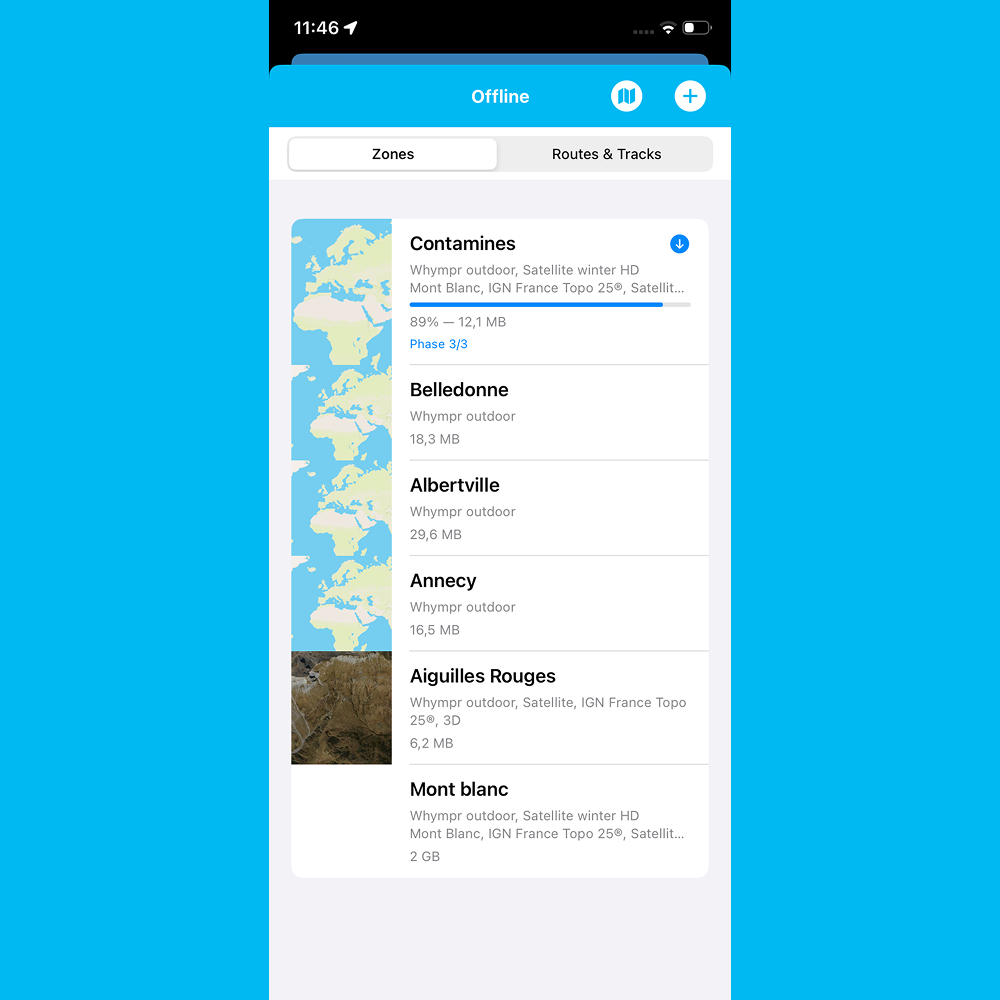
If the app is closed and the download is interrupted, no problem: you can resume at any time from your profile, in the Offline menu, by tapping the corresponding folder.
Why use offline maps for hiking andmountaineering?
Reliability in all conditions
In the mountains, dead zones are frequent and unpredictable. An offline map works independently of the cellular network, wifi, or any infrastructure. It's a navigation safety net you always have at hand.
Battery savings
Without continuous data downloading, GPS-related battery consumption decreases. A meaningful benefit on long outings.
Precise route preparation
Downloading your area before you leave forces you to identify precisely the terrain you'll cover. It's a preparation step in itself, it pushes you to visualise your route, locate access points, huts, water sources, and alternative options.
Available in Whympr Premium on iOS and
The offline map download feature is available in Whympr Premium, accessible by subscription on the App Store (iOS) and Google Play (Android).
Download Whympr for free now on the App Store and Google Play.
Plan your next outing with confidently with the map you need, wherever you need it.