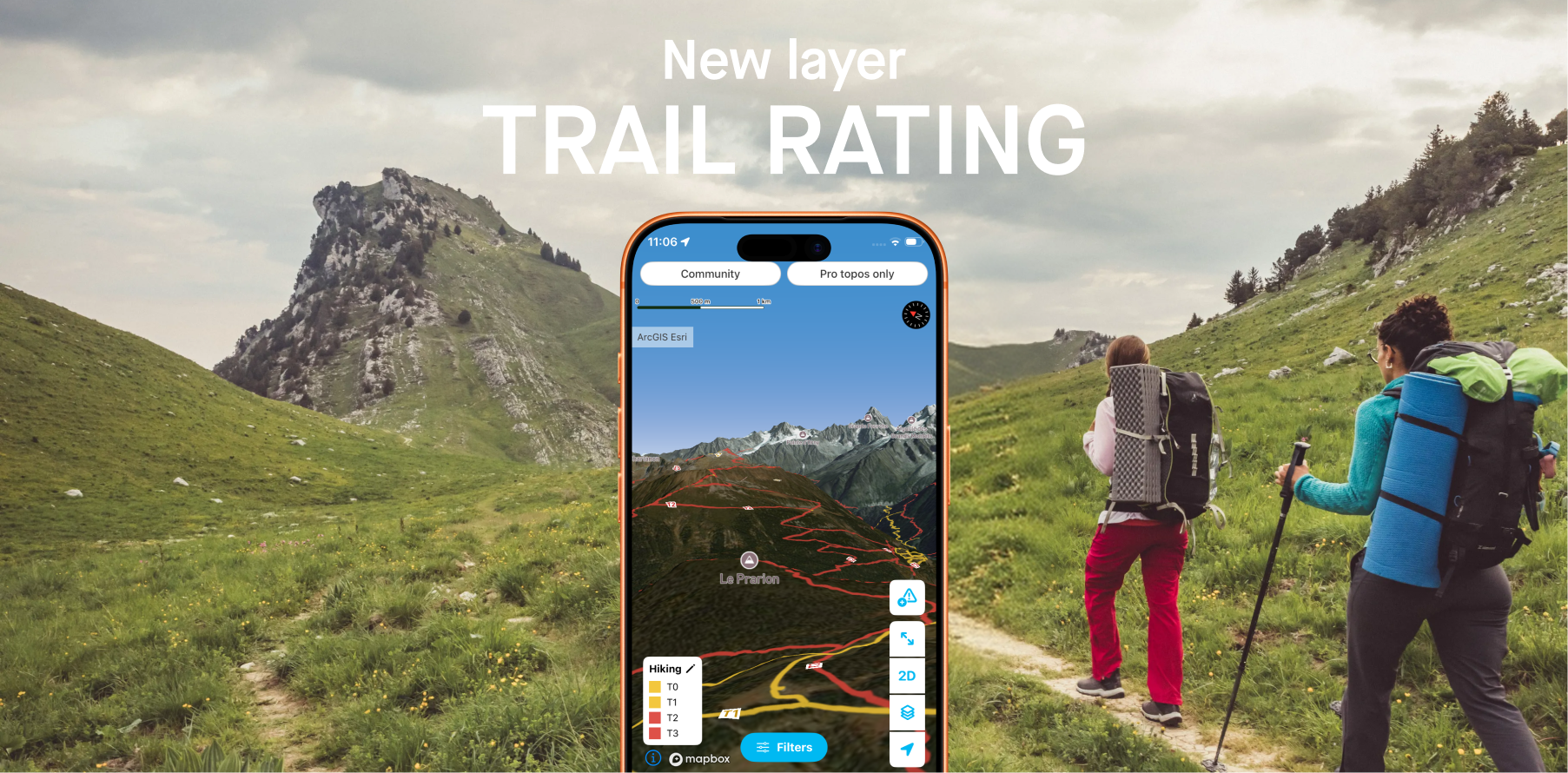
Before lacing up your hiking boots, one question always comes up: is this trail within my abilities?
To answer that clearly, Whympr now integrates 2 new map layers based on OpenStreetMap data, displaying the difficulty rating of every hiking and mountaineering trail worldwide.
The Swiss Alpine Club rating scale: an international benchmark
Built on decades of mountain experience, the Swiss Alpine Club (SAC) grading scale is today the most widely used and internationally recognised system for classifying hiking and mountaineering routes. It covers several levels, ranging from a simple family walk to demanding alpine routes requiring solid technical experience. This scale provides a shared language for all hikers, whether beginners or seasoned walkers, and allows objective assessment of the physical and technical commitment of a route.
The hikes displayed in Whympr are rated according to this scale. This rating is provided for guidance only: season, weather, or trail conditions can significantly change the actual difficulty of an outing.
T1 — Hiking: Well-marked trail, flat or gently sloping terrain, no risk of falling. No technical prerequisites, suitable for trainers. Easy orientation, map not essential.
T2 — Mountain hiking: Continuous trail, sometimes steep. Limited but not excluded risk of falling. Requires sure footing. Trekking boots recommended, basic sense of orientation.
T3 — Demanding mountain hiking: Trail not always visible. Some exposed sections may be equipped with ropes or chains, and may require use of hands for balance. Scree and rocky slopes possible. Requires very sure footing, good trekking boots, and some prior mountain experience.
T4 — Alpine hiking: Tracks sometimes absent, frequent use of hands required. Exposed terrain: steep grassy slopes, snowfields, glacier crossings. Requires comfort on exposed terrain, stiff boots, and solid alpine experience. Retreat may be difficult in bad weather.
T5 — Demanding alpine hiking: Slopes up to 35°, steep sections, delicate traverses, glaciers, and avalanche risk. Requires strong knowledge of avalanche risk assessment and confirmed alpine expertise.
T6 — Difficult alpine hiking: Terrain often without markings or trail, climbing passages up to grade 2, pronounced exposure, glaciers with heightened slip risk. Reserved for experienced alpinists with mastery of technical equipment.
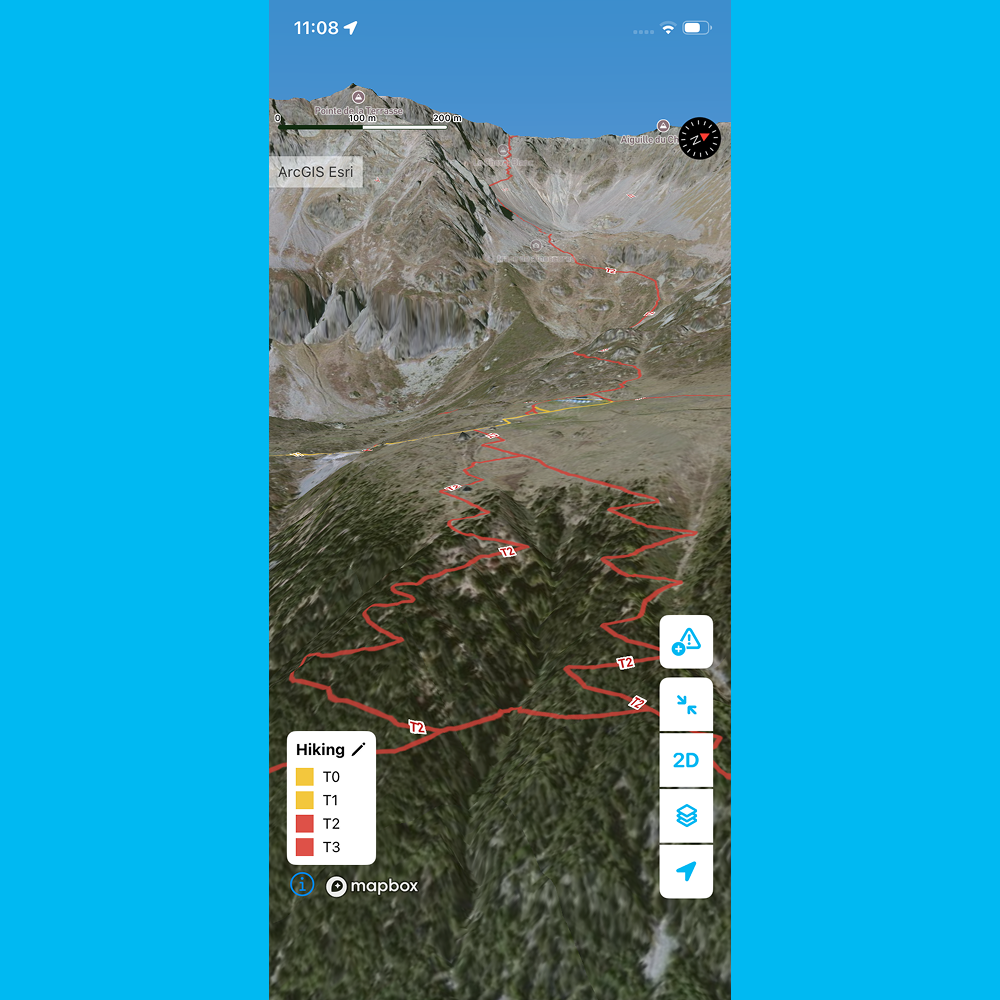
Indicative information, not a guarantee
It is essential to remember: a trail’s rating is provided for guidance purposes only. It reflects the theoretical conditions of a route under normal circumstances, in favourable season and clement weather.
In practice, many unpredictable factors can turn a simple walk into a strenuous — or even dangerous — outing:
• Season: a T2-rated trail in summer can become T4 in autumn under rain or at the start of winter with the first snowfall.
• Weather: fog, thunderstorms, black ice, strong winds… conditions in the mountains can change very quickly.
• Trail conditions: uprooted trees, unstable scree, rockfall.
• Each hiker’s ability and equipment: the same difficulty is not experienced the same way depending on experience, fitness, or available gear.
Use the rating as a starting point in your preparation, never as an absolute certainty. Check weather forecasts, consult local tourist offices or mountain hut wardens, and always adapt your route to real conditions.
Two new layers in Whympr: “Hiking – trails” and “Mountaineering”
To access this information directly on the map, Whympr offers two dedicated layers, accessible from the Maps menu → Layers tab:
• “Hiking – trails”: displays the difficulty rating of all hiking trails with a colour code. Ideal for planning a family outing, preparing a trek, or simply choosing a route suited to your level.
• “Mountaineering”: dedicated to more committed routes, this layer visualises alpine and high-mountain itineraries using the same criteria, allowing practitioners to gauge the demands of a couloir, a ridge, or a summit approach.
Both layers are powered by OpenStreetMap data, the world’s largest collaborative mapping database, and cover the entire planet.
How to enable the layers in Whympr?
1. Open the Whympr app
2. Go to the Maps menu
3. Select the Layers tab
4. Enable the “Hiking – trails” layer for walking routes
5. Enable the “Mountaineering” layer for alpine routes
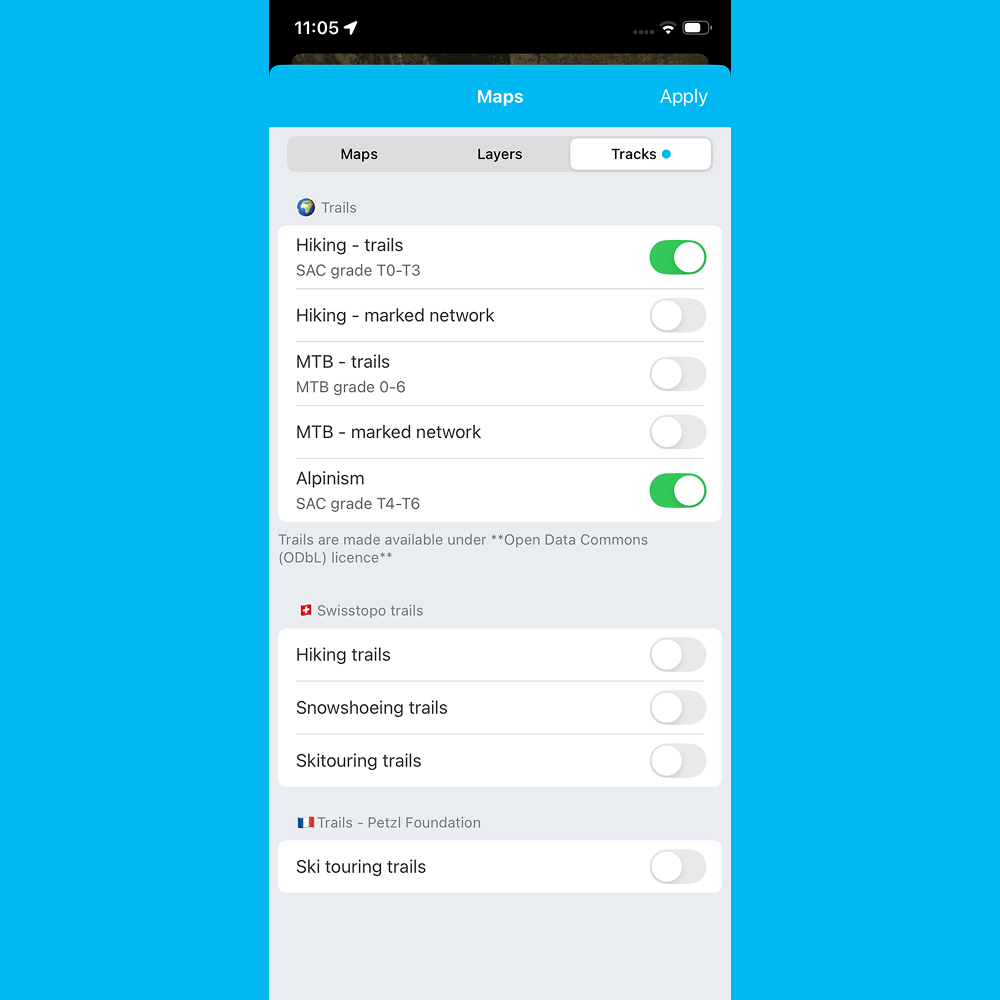
Trails are then displayed directly on the map with a colour code corresponding to their difficulty level, anywhere on Earth.
An ever more complete map for outdoor enthusiasts
With the integration of these difficulty rating layers, Whympr reinforces its commitment to offering the most complete and useful mapping tool for hikers and mountaineers. Combined with official topographic basemaps, drinking water access points, and community features such as trail condition reports, Whympr becomes the essential companion for all your mountain adventures.
Download Whympr for free now on the App Store and Google Play.
.png)

.png)
%20(1).jpg)